
Download Echonote – AI Voice Transcription, To‑Do Lists & Secure Notes
Overview
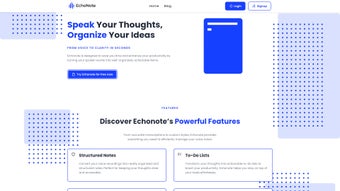
Echonote is a versatile AI‑powered voice generator that turns spoken ideas into structured, actionable content. Whether you’re a busy professional juggling meetings, a student capturing lecture highlights, or a creative mind brainstorming on the go, Echonote offers a seamless way to record, transcribe, and organize your thoughts. The web‑based platform uses advanced natural‑language processing to deliver highly accurate transcriptions, and it supports a range of output formats—from plain text notes to ready‑to‑use to‑do lists.
Security is baked into the service: all recordings and transcriptions are encrypted with industry‑standard TLS, ensuring that your private information stays private. With native apps for iOS and Android, plus a responsive web interface, Echonote lets you access your voice notes from any device, anytime. The intuitive UI guides users through a three‑step workflow—record, transcribe, organize—making the tool approachable for both tech‑savvy users and those new to voice‑driven productivity.
In a world where time is a premium, Echonote transforms fleeting verbal ideas into lasting written assets, helping you stay organized, reduce cognitive load, and boost overall efficiency.
Key Features That Make Echonote Stand Out
- AI‑Driven Transcription: Leverages state‑of‑the‑art speech‑to‑text models for >95% accuracy across multiple accents.
- Multiple Output Formats: Convert recordings into plain notes, bullet‑point summaries, or actionable to‑do lists with a single click.
- Cross‑Platform Access: Fully functional web app plus native iOS and Android applications for on‑the‑go usage.
- End‑to‑End Encryption: TLS‑based encryption protects recordings and transcriptions from unauthorized access.
- Customizable Voice Settings: Adjust speed, language, and punctuation preferences to match your workflow.
- Smart Tagging & Search: Automatically tags key entities (dates, people, tasks) and offers a powerful search bar for quick retrieval.
- Integration Friendly: Export notes to popular tools such as Google Keep, Microsoft To‑Do, and Evernote via simple CSV or JSON files.
- Offline Mode (Mobile): Record locally and sync when you regain internet connectivity, ensuring no idea is lost.
- Unlimited Free Tier: No hidden fees for basic transcription and note‑creation features.
- Regular Updates: Monthly AI model refinements and UI improvements based on community feedback.
Installation, Usage & Compatibility
Getting Started on Any Device
Starting with Echonote is intentionally straightforward. For desktop users, navigate to echonote.com and click “Sign Up.” The registration process requires only an email address and a secure password—no credit card is needed for the free tier. After confirming your email, you’ll be taken directly to the dashboard where the large “Record” button awaits. Mobile users can download the Echonote app from the Apple App Store or Google Play Store. The apps are lightweight (under 30 MB) and install in seconds on iOS 13+ and Android 8.0+ devices.
Step‑by‑Step Workflow
1. Record Your Thought: Tap the microphone icon, speak naturally, and watch the waveform capture your audio in real time. You can pause and resume as needed.
2. Choose a Format: Once you stop recording, a pop‑up lets you select the desired output—plain notes, bullet points, or a to‑do list. 3.
Review & Edit: The AI‑generated text appears instantly. Minor edits can be made directly in the editor, with auto‑save enabled. 4.
Organize & Export: Tag the note, add a deadline, or move it into a project folder. Export options include PDF, TXT, CSV, or direct sync with third‑party apps. 5.
Secure Storage: All data is stored in an encrypted vault on Echonote’s cloud servers, accessible only after authentication.
System Requirements
The web version runs on any modern browser (Chrome, Firefox, Safari, Edge) with JavaScript enabled. Mobile apps require iOS 13 or later and Android 8.0 (Oreo) or newer. No additional plugins or extensions are necessary, and the service consumes minimal bandwidth—ideal for users with limited data plans.
Pros, Cons, Frequently Asked Questions & Final Thoughts
Pros
- High transcription accuracy with multilingual support.
- Free tier includes all core features—no hidden costs.
- Robust security with end‑to‑end encryption.
- Flexible output formats streamline task management.
- Cross‑platform availability ensures notes are always within reach.
Cons
- Advanced AI models require an internet connection for real‑time transcription.
- Limited offline editing capabilities on the web version.
- Free tier imposes a daily recording limit of 30 minutes.
FAQ – Your Questions Answered
Is Echonote really free to use?
Yes, the core transcription and note‑creation features are completely free. A premium plan is available for users who need unlimited recording time, priority AI processing, and advanced integrations.
How secure is my data?
Echonote uses TLS 1.3 encryption for data in transit and AES‑256 encryption at rest. Your recordings and transcriptions are stored in a private vault that only you can access after authentication.
Can I export my notes to other productivity apps?
Absolutely. Export options include CSV, JSON, PDF, and direct sync with Google Keep, Microsoft To‑Do, Evernote, and other popular tools via API integrations.
What languages does Echonote support?
Echonote currently supports English, Spanish, French, German, Mandarin, and several other major languages. New languages are added regularly as the AI models improve.
Do I need a strong internet connection for accurate transcription?
While Echonote can operate on slower connections, a stable broadband or 4G/5G network ensures the fastest processing and highest accuracy, especially for complex or accented speech.
Conclusion & Call to Action
In a productivity landscape crowded with note‑taking apps, Echonote distinguishes itself by combining AI‑driven voice transcription with secure, multi‑format output. Its free tier provides enough power for most daily users, while the premium upgrade caters to power users who demand unlimited recordings and deeper integrations. If you’re looking for a reliable way to capture ideas without typing, streamline your task lists, and keep everything safely encrypted, Echonote is a compelling choice. Download Echonote today, start turning your spoken thoughts into actionable content, and experience a new level of organized efficiency.



.png)



